Showing posts with label tos. Show all posts
Showing posts with label tos. Show all posts
Friday, 1 November 2019
Talend tMap to Row Number using Variables
Below is a short video which walks you through a different method to derive a row_number, within Talend Open Studio, using the variables within tMap.
https://youtu.be/UbPU7VVu-fU
The notes within the video are below:
20191101 Talend TOS Using tMap to calculate the row number, using the variables
FileInputDelimited > SortRow > tMap > LogRow
select
*
,row_number() over (partition by name order by exam_date) as rn
from name_grades
name,subject,grade,exam_date
andrew,maths,a,2019/01/01
andrew,english,b,2019/01/02
andrew,science,c,2019/01/03
boris,maths,c,2019/01/01
boris,english,a,2019/01/02
boris,science,g,2019/01/03
jeremy,maths,a,2019/01/01
jeremy,english,a,2019/01/02
jeremy,science,a,2019/01/03
donald,maths,u,2019/01/01
donald,english,u,2019/01/02
donald,science,u,2019/01/03
** var expressions **
name = input name
rn = Var.previous_name == null ? 1 : ( Var.name.equals( Var.previous_name ) ? Var.rn + 1 : 1 )
previous_name = input name


Wednesday, 16 October 2019
Talend Row_Number functionality using tMap and Sequence
This post quickly details the steps involved in mimicking the tsql’s row_number() over (partition by…) windows function, all within Talend’s TOS (Talend Open Studio).
We want to add a new column, which is the equivalent to the tsql
row_number() over (partition by name order by 1) as rownumber
tFixedFlowInput > tMap > tLogRow
“>” is a “Row > Main” flow.
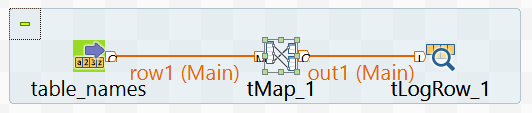 (I’ve renamed my tFixedFlowInput component to “table_names”)
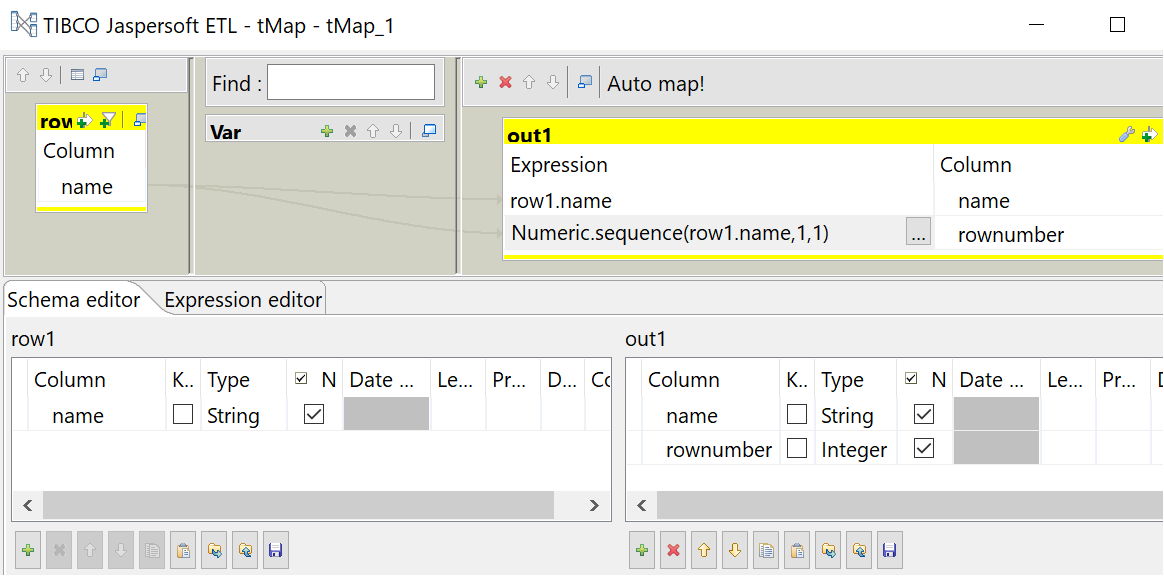
Note that I use an expression to populate the “rownumber” column.
Numeric.sequence(row1.name,1,1)
This expression can be explained as:
Scenario
The starting point is the table of names below.| name |
| andrew |
| andrew |
| andrew |
| berty |
| berty |
| emily |
| emily |
| emily |
| edward |
| edward |
| edward |
| edward |
| hugo |
We want to add a new column, which is the equivalent to the tsql
row_number() over (partition by name order by 1) as rownumber
| name | rownumber |
| andrew | 1 |
| andrew | 2 |
| andrew | 3 |
| berty | 1 |
| berty | 2 |
| emily | 1 |
| emily | 2 |
| emily | 3 |
| edward | 1 |
| edward | 2 |
| edward | 3 |
| edward | 4 |
| hugo | 1 |
Talend TOS
In Talend Open Studio, create a job with the following components:tFixedFlowInput > tMap > tLogRow
“>” is a “Row > Main” flow.
tFixedFlowInput
I configure this component to- schema is just 1 column “name” of "String” datatype

- use the inline content below
andrew
andrew
andrew
berty
berty
emily
emily
emily
edward
edward
edward
edward
hugo
tMap
In this component I declare an output “out1” with columns- name, with String type
- rownumber, with Integer type
Note that I use an expression to populate the “rownumber” column.
Numeric.sequence(row1.name,1,1)
This expression can be explained as:
- Numeric.sequence : this defines a integer sequence
- row1.name : this is the column that is “partition by” and “order by” when compared to the tsql windows function
- 1 : the first “1” is the starting point for the sequence
- 1 : the second “1” is the sequence increment
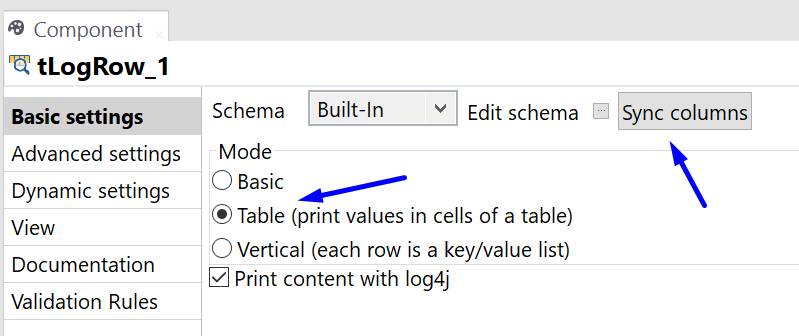
tLogRow
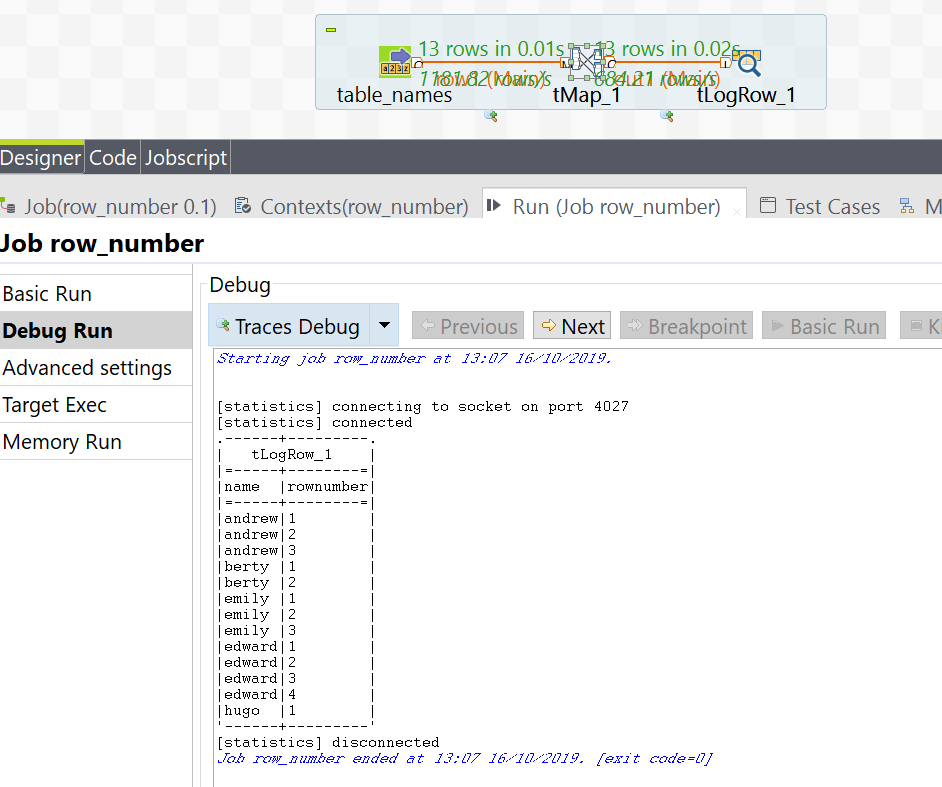
Finally, the results are returned back to the execution console for review, using the tLogRow component.The Results
Below is a screenshot of the final execution results.Wednesday, 11 September 2019
Talend Component crib sheet
Here’s a handy reference table for the common Talend components.
Use this document as a reference to understand what types of flows act as input and output.| Input | Component | Component Description | Output |
| · Row.Iterate · Trigger | 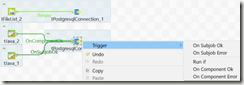 | tPostgressqlConnection | · Trigger |
| · Row.Main |  | tMap map input to output columns derive columns perform transformations | · Row.Main |
| · Row.Main | 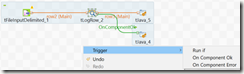 | tLogRow used as data viewer and debugging print input data in the Run window | · Row.Main · Trigger |
| · Row.Main |  | tPostgresqlOutput used to insert input data into the database | · Row.Main · Trigger |
| · Row.Iterate · Trigger | 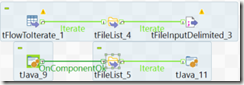 | tFileList This outputs an iterative list of files read from a location. The input can be from a trigger or from another row.iterate. | · Row.Main · Trigger |
| · Row.Iterate · Trigger | 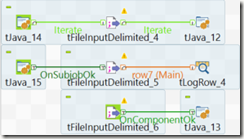 | tFileInputDelimited reads data into the job so that the field attributes / schema can be further transformed | · Row.Main · Row.Iterate · Trigger |
| · Row.Iterate · Trigger | 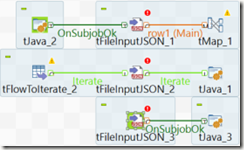 | tFileInputJSON reads data from a location. presents this data / schema to the job for further transformations. | · Row.Main · Row.Iterate · Trigger |
| · Row.Main |  | tFileOutputDelimited used to write data to a file in a specified location | · Row.Main · Trigger |
| · Row.Iterate · Row.Main · Trigger |  | tJava used to run arbitrary java code, to help with bespoke transformations. can be used to set values to context variables, or to print messages back to the run window to help debugging the job. | · Row.Main · Row.Iterate · Trigger |
| · Row.Iterate · Row.Main |  | tExtractJSONField used to split key:value pair data from a field / string | · Row.Main · Row.Iterate · Trigger |
| · Row.Iterate |  | tIterateToFlow converts row.iterate to a row.main | · Row.Main · Trigger |
| · Row.Main |  | tFlowToIterate converts row.main to a row.iterate | · Row.Iterate · Trigger |
| · Row.Iterate · Trigger | 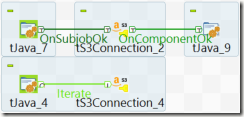 | tS3Connection creates a connection to AWS S3 | · Trigger |
| · Row.Iterate · Trigger | 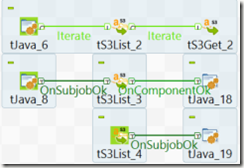 | tS3List used to list the objects in S3 bucket outputs this list for iteration | · Row.Iterate · Trigger |
| · Row.Iterate · Trigger | 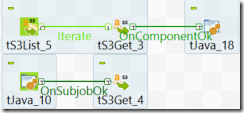 | tS3Get used to download the objects from s3 to a location | · Trigger |
| · Row.Iterate · Trigger |  | tHashOutput used to load row.main data flow into local cache | · Row.Iterate · Row.Main · Trigger |
| · Row.Main |  | tHashInput used to retrieve data from local cache for further transformation within the job | · Row.Main · Trigger |
Wednesday, 20 March 2019
Talend Job Statistics error, Connection refused, connecting to socket
When executing a Talend job via TAC (Talend Administration Center / the Talend Server), the following error message can be returned if the JobServer / Execution service is a remote server.
ie The JobServer or Execution service isn't on the same server as TAC.
[statistics] connecting to socket on port 10226 |
The statistics port 10226 is chosen at random by the server from a range of 10000 to 11000.
The connection is refused if this is blocked by a firewall (or security group in the case of AWS instances).
The details below help correct this.
Changing Statistics port settings
TOS (Talend Open Studio)
Window -> Preferences -> Talend -> Run/Debug and there you can change the stats port range.

TAC
For Talend Administration Center, edit the following file:
TOMCAT_FOLDER/webapps/org.talend.administrator/WEB-INF/classes/configuration.properties
Look for these lines (or add them onto the end of the file):
# The range where find a free port on the Administrator machine, where the job will send the statistics informations during its execution
scheduler.conf.statisticsRangePorts=10000-11000
And then change the scheduler.conf.statisticsRangePorts parameter for the desired range, like this:
scheduler.conf.statisticsRangePorts=10000-10010
The file should look something like this:

Wednesday, 16 January 2019
Talend Open Studio – Configure Statistics and Log Capture
Within TOS (Talend Open Studio) – the project settings can be configured to allow component-level statistics and log capture.
This information can be directed to database tables for later review.
The tables are
These tables can be created by watching: https://www.youtube.com/watch?v=31EY-VhjjoA
Or by following http://diethardsteiner.blogspot.com/2012/02/talend-setting-up-database-logging-for.html
Below are the steps to configure a TOS project so that the components log stats during execution.
(it’s fairly intuitive)
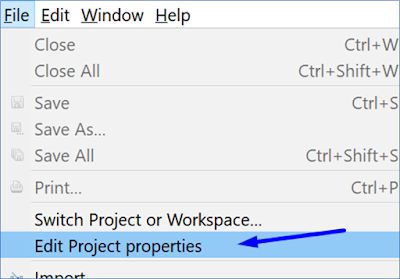
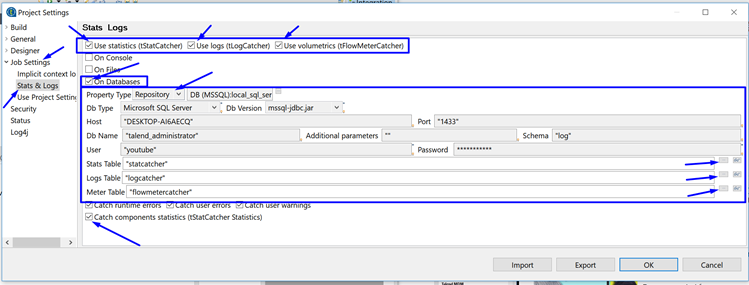
2) In the project settings window, navigate to Job Settings>Stats & Logs
3) Tick the boxes in the upper right for
5) Finally click on the ellipse’s to help choose the correct logging table within the database.
6) Optionally, also tick the Catch components statistics (tStatCatcher Statistics).
This information can be directed to database tables for later review.
The tables are
- StatCatcher
- LogCatcher
- FlowMeterCatcher
These tables can be created by watching: https://www.youtube.com/watch?v=31EY-VhjjoA
Or by following http://diethardsteiner.blogspot.com/2012/02/talend-setting-up-database-logging-for.html
Below are the steps to configure a TOS project so that the components log stats during execution.
(it’s fairly intuitive)
Project Properties
1) Open a project, and click File>Edit Project properties
Project Settings
2) In the project settings window, navigate to Job Settings>Stats & Logs
3) Tick the boxes in the upper right for
- Use statistics (tStatCatcher)
- Use logs (tLogCatcher)
- Use volumetrics (tFlowMeterCatcher)
5) Finally click on the ellipse’s to help choose the correct logging table within the database.
6) Optionally, also tick the Catch components statistics (tStatCatcher Statistics).
Subscribe to:
Posts (Atom)