Original material from
www.techwatch.co.uk and cross referenced with
www.autokeysquad.com and my first "How To" video !.
I've recently experienced loss of operation of my skoda key fob, and thought I needed to reprogram the key fob.
Luckily, I just replaced the internal battery with a new CR2032 (or CR2025 and some paper wadding).
I've post a video on YouTube :
How To Replace the Battery in the Key Fob
Anyway - the process to reprogram the key fob is detailed below (try these instructions at your own risk !)
Remote Control Programming (1997 ON)
The process requires the use of 2 keys.
The 1st key is your original key that is working in your car.
The 2nd key will be a new remote key correctly cut to work in your locks,
or the 2nd key could be an existing remote key which has a damaged remote, or doesn't seem to work.
Top Tip !
Always lower drivers window when carrying out this procedure (so you can reach into the car).
- Place your 1st key in ignition and turn on so that dash is lit up and leave the key in the ignition.
- Mechanically lock the drivers side door and lock with the 2nd key.
- Using the remote on the 2nd key, press the unlock button once. The horn should sound (if the horn doesn't sound don't worry just carry on with the procedure).
- Wait 6 seconds and again press unlock button once (on the 2nd key). The remote is now programmed.
- Now switch off ignition and try your remote.
And for completeness - here's the process for blanking key fobs.
Remote Control Erasing (1997 ON)
- Place your 1st key in ignition and turn on so that dash is lit up, leaving the key in the ignition.
- Mechanically lock the drivers door using a second key.
- Press the remote control unlock button on the 2nd key 5 times in 1 second intervals. A short horn will sound.
- Wait 6 seconds and press the unlock button once on the 2nd key to activate memory erase.
- Switch ignition off, all remote key fobs are now erased.
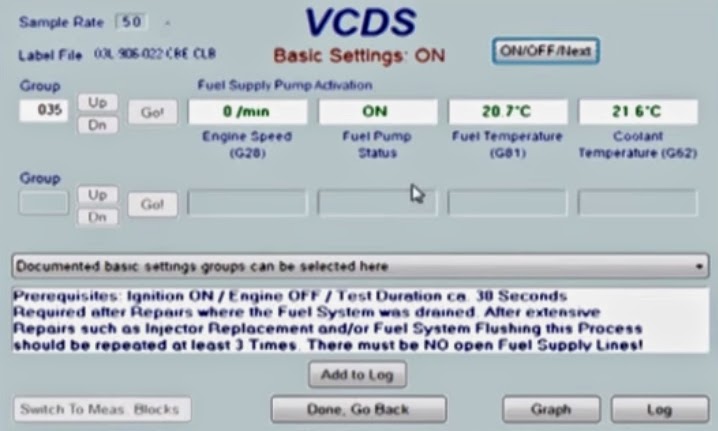 Open up VCDS and follow these instructions: